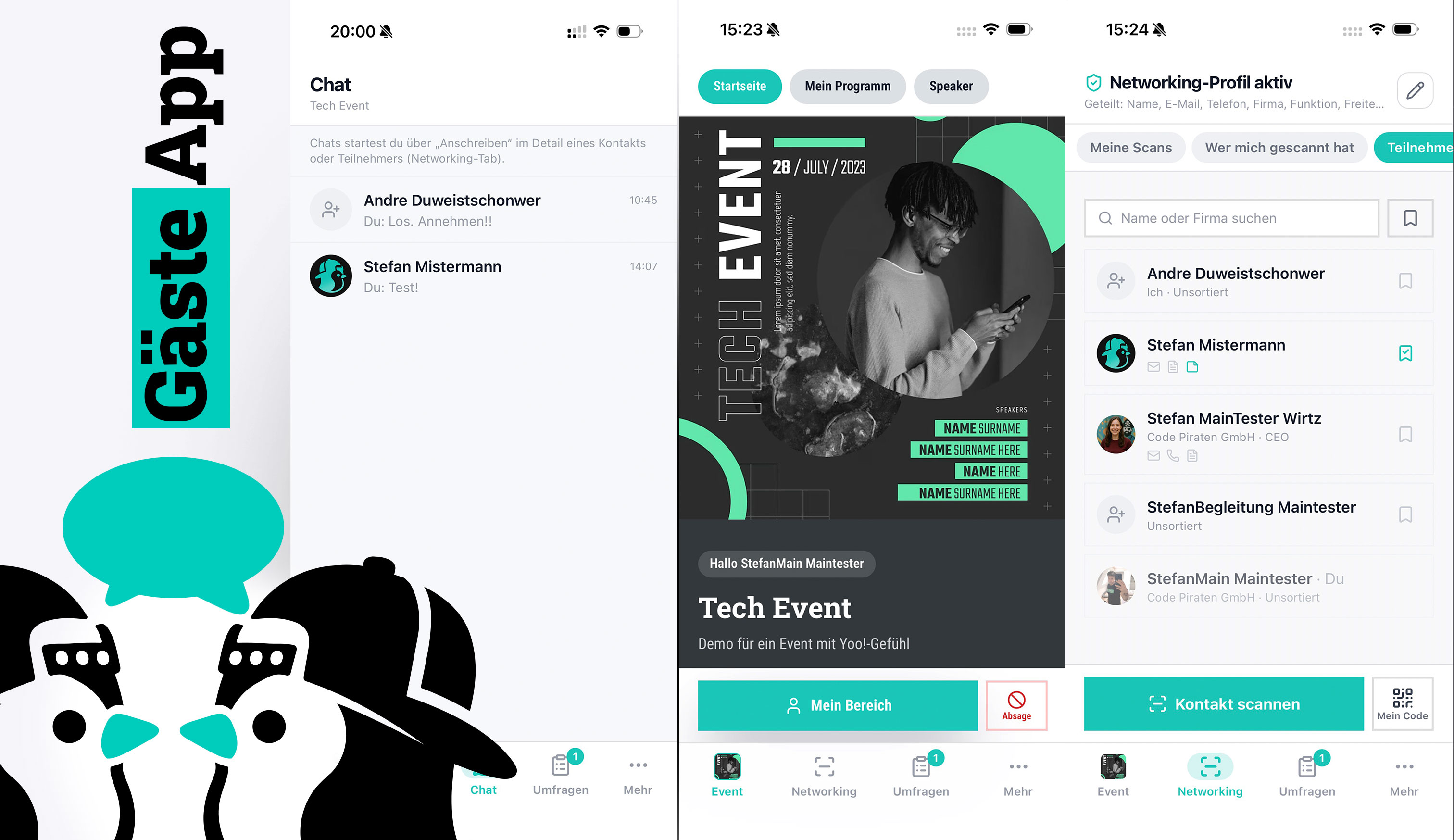
Module · Guest app
An app makes your event feel professional and keeps guests engaged — from frictionless check-in and exhibitor lead scanning to planned 1:1 appointments. Your guests have everything with them; you get an event that stays alive.
For organizers, exhibitors & guests
It's not the standard features that win the deal, but these four — they set your event noticeably apart.
Turn your event into a game: a rally with QR scans, quiz questions and photo tasks, points and a live leaderboard — as free collecting, a fixed route or a scavenger hunt. That's how you steer visitor flows to booths and programme items on purpose.
More on the rally →Packed halls, thick walls, overloaded Wi-Fi — the app keeps working: tickets, QR codes, programme, venue map and event info are available offline and sync as soon as reception is back. Reliable exactly at the moment other apps give up.
Exhibitors and sponsors go home with qualified leads instead of a stack of business cards: scan a contact by QR, add a note, export. An ROI argument that makes your event more attractive for exhibitors — and easier for you to sell.
Turn chance encounters into planned conversations: guests book targeted 1:1 appointments with exhibitors, advisors or speakers — in advance or spontaneously on site, audience-segmented.
More on appointment booking →Not an app nobody opens on day two: social walls, a personal agenda, chat, live polls, questions to the speakers and push keep your guests engaged.
Guests see their tickets, QR codes and wallet passes anytime — even offline.
Programme, venue, directions and news — always up to date and in the guest’s language.
Publish news right inside the app — with unread badges and a push notification.
A general programme, speaker profiles and a personal agenda per guest.
Guests post updates and photos — one or several walls, even per programme item. With a netiquette every guest confirms before their first post, moderation and pinned posts that stay on top.
Guests ask questions about the current talk and upvote the most important ones; the speaker or moderator answers them. Beta — currently via the event page, link and QR code, the app tab follows.
Guests exchange contact details via QR scan — granular and with mutual consent. A note can be added to every lead right away.
Guests message each other right inside the app — for networking, meetups and event chatter.
Notify guests in real time about changes and key moments.
Shared fields selectable per contact, per-scan revocation, photos encrypted.
Upload hall and site maps as PDF — guests pan and zoom through the map, tap booths for details and bookmark where they still want to go. In the app and on the event page, offline too.
Ask your guests right in the session — live polls, ratings and quizzes turn a talk into a dialogue and give you feedback you can evaluate right away.
With consent, guests see who else is attending and find the right contacts on purpose — the basis for real networking instead of chance encounters.
The app is optional: tickets, event page, registration and many features work for your guests right in the browser — no install required.
Further details and screenshots for this module are coming soon.
New · Rally & gamification
Turn your event into a game: with the rally you steer visitor flows to specific booths, areas or programme items — Actionbound-style, GDPR-compliant and without your guests having to install anything.
Three modes
All tasks are open from the start. Your guests decide where to begin and in which order to visit the stations — ideal for trade fairs and large venues.
One task at a time: only when a station is completed does the next one unlock. This guides your guests along a planned route through the event.
Only a clue is visible — the task and station stay hidden. Your guests solve the clue themselves, find the next station and reveal it by scanning or entering the answer word.
Task types
The classic: a QR code sits at the station — one scan and the points are credited.
A quiz at the station: only the right answer earns the points — perfect for conveying content playfully.
“How many jelly beans are in the jar?” — guests submit one number, once. At evaluation time the closest estimates earn tiered points: say 50 for the ten closest, 20 for the next twenty. Equally close means equal points.
Networking pays off: points for new contacts made via QR exchange and confirmed by both sides.
Rewards persistence: bonus points are awarded once a certain number of tasks is completed — say five out of eight stations.
Guests upload a photo — say a selfie at a booth. Points are only awarded after your approval; you review every picture first. Consent to use the photo, e.g. for marketing, is obtained before the upload and documented in a GDPR-compliant way.
New · Award ceremony, evaluation & groups
If everything is visible during the rally, you give away the best moment. So you decide what your guests learn and when: results and leaderboard can stay hidden until you reveal them — live, on the big screen, with an award ceremony.
Whether an answer was correct, how many points it earned and who is ahead — you can hide all of that for the whole rally or for single tasks. Guests then only see that they took part. One click reveals everything: score, leaderboard and prize threshold become visible at the same time. For the dress rehearsal you can even take the reveal back.
A dedicated screen page behind a secret link: the leaderboard builds up from the bottom, names appear last — goosebumps included. Whether full names are shown is governed by a names clause guests see before taking part; without consent they stay anonymous. Switchable between individual and group ranking.
Split your guests into groups — by department, location, table number or any other attribute from the registration. Each group gets its own leaderboard, and in the “group vs. group” ranking the average counts, not the sum: the biggest department doesn’t win automatically. Guests switch between the views in the app.
Before the start, guests only see title, intro, prizes and a countdown — tasks and stations stay hidden until it begins; the page then unlocks itself. You and selected test guests may play through everything beforehand. After the end the rally stays visible (“what did I miss?”), no more points are awarded — redeeming prizes still works.
Networking · Matchmaking
Every guest sets up a short networking profile — interests, industry, goals. The app suggests fitting attendees in the familiar card style. If both are interested, it's a match, and the two can start talking right away.
New · Live Q&A (beta)
During the talk, guests submit their questions and upvote other people's. The speaker or moderator sees the sorted list, marks questions as answered and adds short replies — instead of queueing at the microphone or shuffling paper notes.
Beta: guests use the Q&A via the event page, their personal link, the QR code on the screen — and in the guest app via its own “Questions” tab.
New · Help & FAQ
No hunting for the right email address, no calls to the office: guests ask their question in the guest app or on the event page under “Help”. Your team answers in one place, the reply reaches the guest by email and push — and the most common questions become an FAQ with one click.
Can be switched on and off per event. Inquiries are guest data: access, deletion and retention rules apply like for everything else — and in professional-secrecy mode no email carries the content.
Independent of ticket sales
No matter where your guests bought their ticket: they get app access with event info, networking, chat and lead scan. Bring the guest app to events whose tickets run on another system.
Selling tickets on Eventbrite?
Export your attendee list from Eventbrite and import it into ticketYoo — that’s all it takes. With an email from ticketYoo your guests receive their access to the guest app: agenda, news, networking, chat and lead scanning, plus check-in and name badge on site. The ticket stays with Eventbrite.
Registrations on Luma?
Export your guest list from Luma, import it into ticketYoo, send the guest-app invitation — done. Your guests network, see the programme and news and check in on site. Luma also provides an API — through it, ticketYoo can also sync your guests directly if you wish, no file needed.
Eventbrite and Luma are trademarks of their respective owners. ticketYoo is a separate, independent product and has no partnership, cooperation or other business relationship with these providers. Data is exchanged solely via the data you export yourself or via publicly documented interfaces.

Chris · Customer success & support
The best app is useless if your guests close it after day one. That’s why I help you fill it with life — agenda, news, polls and push at the right moment. So your event stays present the whole time.